
Restaurant Photography in Saudi Arabia: Menu & Content Guide
Plan restaurant photography in Saudi Arabia: write a shoot brief, build a shot list, prepare dishes and deliver bilingual menu and campaign assets.
Will the photographs look good and help guests understand what they can actually order?
Restaurant photography in Saudi Arabia should help guests understand what they can actually order and experience. A strong production plan starts with the menu, the brand and the intended placement, then defines the dishes, angles, crops and deliverables needed.
Attractive images are important, but a usable image library also needs accurate portions, consistent styling, clear rights and files that work on websites, menus and social channels.
In this guide
This guide explains how restaurant and café teams can prepare a photography brief, organise a shoot and evaluate the resulting assets. It covers menu photographs, campaign imagery, interiors and short-form content without assuming that one photograph suits every destination. Examples of quantities and schedules are planning illustrations, not TerraForce package commitments, client results or claims that a particular image will guarantee more orders.
1. Define the business purpose before choosing a visual style
Start with the decision the image should support. A delivery menu photograph helps someone identify a product and compare it with alternatives. A campaign image may introduce a new occasion or seasonal collection. Interior photography helps guests assess atmosphere, while an entrance image supports a first visit. These tasks require different compositions even when they share a brand palette and production day.
Write a short purpose statement for the shoot. For example, the restaurant may need consistent photographs for its permanent menu and a smaller group of expressive images for an upcoming launch. Separate those needs in the brief. Otherwise the team may spend most of the day creating one elaborate hero frame and discover later that ordinary menu items still have no usable photographs.
The restaurant branding guide can help define the tone, materials and presentation that should remain recognisable. Translate those principles into practical decisions: background, light direction, plate selection, crop flexibility and colour treatment. A mood board is useful when it becomes a set of choices the crew can execute. It is less useful when it contains unrelated beautiful images with contradictory lighting and styling.
2. Audit the menu and existing image library
Create an inventory before commissioning new work. List active products, approved names, available images, current uses and known problems. Mark which photographs show an outdated recipe, old packaging or a serving no longer offered. Ask the kitchen and operations team to confirm the list. A marketing spreadsheet based only on last year’s menu can waste a shoot on products that will not be sold.
Group items by visual and operational needs. Drinks may share a setup; plated dishes may require different angles; a layered dessert may need a cut view to explain it. Also identify products that are commercially important but difficult to understand from their names. Prioritise those gaps alongside best sellers and new products instead of giving every item equal production complexity.
Keep menu images distinct from broader storytelling assets. The former should identify the product clearly; the latter can show preparation, hospitality, ingredients or a dining occasion. The restaurant marketing plan explains how these assets can support a campaign across discovery and ordering. The image audit should end with a clear list of missing functions, not merely a request for a larger folder of pictures.
Your working map: from question to decision
A practical decision sequence to adapt to your restaurant and records, not a fixed schedule or a promise of results.
- PurposeChoose the guest decision and placement.
- BriefAgree products, style and responsibilities.
- PrepareCoordinate kitchen, dishes and shot list.
- ProduceCheck truthful portions and composition.
- DeliverOrganise crops, rights and usable files.
3. Build a brief the photographer and kitchen can share
A useful brief names the objective, audience, approved menu version, brand references, placements, deliverables and decision makers. Include practical constraints such as access hours, power, preparation space and whether service will continue during production. Confirm who approves the food, who approves the visual direction and who can authorise changes. This prevents the photographer from receiving conflicting instructions from several people on the day.
State what a successful handover contains. Agree the number of final selected images, required variants, retouching scope, naming convention and delivery method. Specify whether original working files are included rather than assuming they are. Document the intended usage with the production partner and confirm any restrictions before booking, especially where paid campaigns or third-party publications are planned.
Prepare an approval reference using one representative dish. Reviewing a test frame early can reveal an unsuitable plate, a distracting background or a light treatment that changes the perceived food colour. Agree corrections while the setup is still flexible. Waiting until the entire menu is photographed to discover a disagreement about the visual direction creates unnecessary rework and pressure on the kitchen.
4. Plan the shot list around priority and placement
Give every required frame an identifier, product name, purpose, orientation and approval status. Add the item’s preparation needs and the desired visible details. A layered burger might need its height and filling to read clearly, while an overhead frame may suit a shared spread. Choose the angle because it explains the product rather than applying the same composition to every category.
Build safe space into campaign frames. If Arabic or English copy will appear beside the food, identify the relevant text zone before shooting. Important product details should not sit underneath a button or be lost when the image is cropped. Ask for purposeful framing variants rather than expecting a designer to rescue every placement from one tightly composed photograph.
| Asset | Main purpose | Planning note |
|---|---|---|
| Individual menu item | Identify the actual product | Consistent angle and clear portion |
| Hero campaign frame | Communicate an occasion or launch | Leave an approved text zone |
| Interior and seating | Explain the dining environment | Show the space honestly |
| Entrance and frontage | Help a first-time visitor arrive | Make recognisable features visible |
| Preparation sequence | Support a process story | Plan continuity and a clean workflow |
| Short vertical clip | Show movement in social content | Compose for the intended interface |
5. Protect the product truth while styling it carefully
Prepare food from the approved recipe and serving specification. Check portion size, included sides, garnish and packaging with the kitchen. The image should not imply that an optional extra comes with the standard order. If several items form a serving suggestion, make the context clear in the relevant placement.
Confusion created by a beautiful photograph can become a complaint at delivery or at the table.
Styling should make the real product legible: clean edges, thoughtful arrangement and a presentation that preserves texture and colour. Agree boundaries for retouching. Removing a temporary crumb differs from adding an ingredient the guest will not receive. Avoid changing the apparent size, number of pieces or composition in a way that creates an unrealistic expectation of what the restaurant serves.
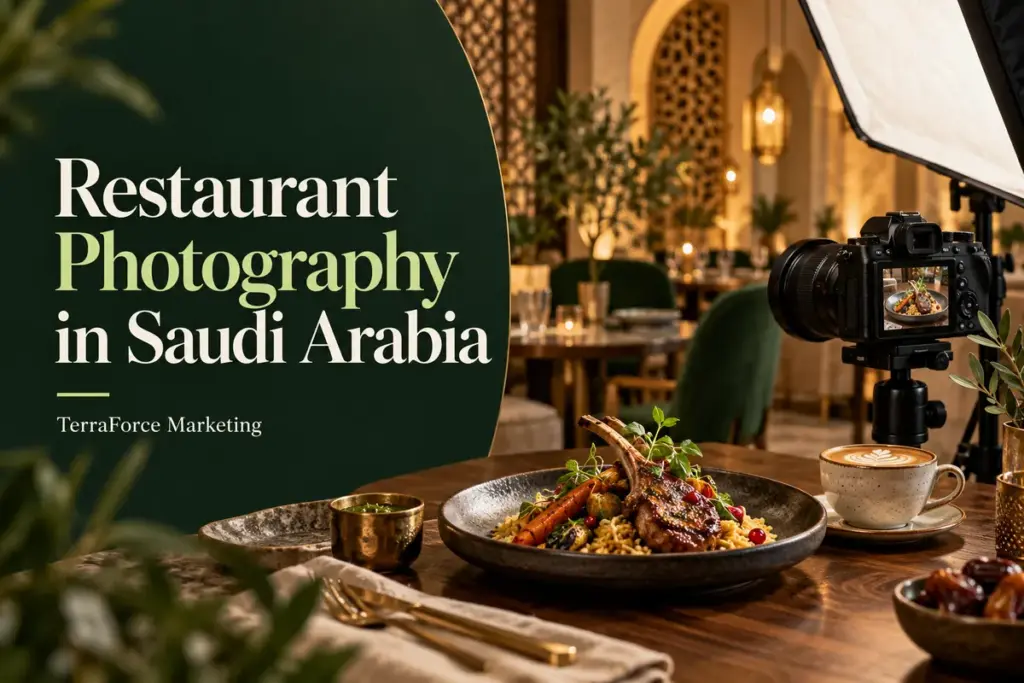
Use care with artificial intelligence. It may support concept exploration or other appropriate creative tasks, but an invented dish should not be presented as a documentary image of a menu item. Keep illustrative campaign artwork distinguishable from product photography where necessary. This guide’s editorial cover is an illustration of the production topic, not evidence of a dish or restaurant project completed for a client.
6. Organise the kitchen and crew for the shoot day
Sequence dishes according to preparation and how their appearance changes after plating. Ice cream, hot drinks and crisp fried items may need different timing from stable packaged products. Discuss this with the kitchen lead before the crew arrives.
Prepare backups where appropriate and identify who can remake a dish. The schedule should reflect the actual work, not simply divide the available hours by the number of menu items.
Protect food safety, staff access and normal service. Establish a clear production area and keep equipment, cables and props out of essential working paths. If the restaurant remains open, agree which stations and time windows are available. A shoot that disrupts service can cost the team attention and goodwill even if the final photographs look excellent.
Review progress against the priority list. Finish essential menu coverage before spending the remaining time on optional variations. Record substitutions and missed frames so they do not disappear into an informal conversation. A short selection log helps everyone distinguish completed, approved and still-needed assets. It also gives the editor a clear reference when similar dishes or several plate versions were photographed.
Put the guide to work on one restaurant decision
Use your own project evidence. This is an illustrative working framework, not a client case or result.
Input
Bring the approved menu, brand references and channel needs.
Check
Review product accuracy, crops and both language layouts.
Decision
Fill the most important content gaps before adding volume.
7. Design for Arabic and English from the beginning
A bilingual campaign needs more than translating a headline after the image is finished. Arabic and English copy can occupy different shapes and reading directions. Prepare both text treatments or sample blocks before approving the composition. Check that the copy has enough contrast and room without covering the food or placing important words beneath social interface elements.
Preserve a clean photographic master without embedded promotional copy where practical. Designers can then create language-specific layouts while the same image remains available for a menu or branch page. Where the asset must contain text, retain editable artwork as part of the agreed handover.
This makes it easier to correct a price, replace a date or refresh a message without commissioning a new food shoot.
Keep product names, descriptions and serving information consistent with the approved menu in both languages. Review the final crop at the size guests will actually see. A headline that looks elegant on a large monitor may become unreadable in a small card. TerraForce Marketing Portfolio connects identity, creative direction and content production; those disciplines should work together at this approval stage.
8. Prepare exports for websites, maps and social channels
Keep high-quality source files and create destination-specific exports. Check the current requirements of ordering platforms and social placements rather than relying on one permanent list of dimensions. Test how each destination crops the image. A square menu thumbnail, a wide website banner and a vertical story should be treated as different compositions, even when they originate from the same scene.
For a website, provide an appropriately sized compressed image and preserve enough detail to show the food well. Google’s image SEO documentation recommends descriptive filenames and helpful alternative text alongside relevant page content. Use a concise description of what the image communicates rather than a string of city and cuisine keywords. Decorative images may require a different accessibility treatment from informative product photographs.
Use responsive delivery and explicit dimensions through the website’s image system where appropriate. Check mobile loading and avoid making a very large original the default download for every device. Google Business Profile has its own photo guidance, which should be checked separately from website export settings.
The local SEO guide explains how food, space and entrance images support the path from discovery to a visit.
9. Make the image library searchable and maintainable
Use names that connect the asset to a product, version and purpose. A file labelled with the approved item identifier is easier to replace than a folder of camera numbers. Store the final selection, clean masters and campaign variants in an agreed structure. Avoid using a messaging app as the only archive, because compression and scattered approvals make later reuse difficult.
Add a simple asset register with the approval date, menu version, intended channels, relevant usage conditions and next review trigger. A photograph may become outdated when a recipe, plate, portion or package changes. Assign a person to remove or replace obsolete variants across the website and live channels. New production has limited value if guests continue to see the previous serving elsewhere.
For guest or staff appearances, agree the necessary permissions and use restrictions with the production partner before publishing. Do not assume that being present in a venue means a person has approved use in advertising. Keep those records accessible to the responsible team without distributing personal details unnecessarily. A clear handover makes creative assets easier to use confidently as campaigns and partners change.
10. Measure the placement rather than praising the picture
Judge each asset against its purpose. A menu image can be evaluated with product-page interactions and completed orders where reliable data is available. A branch image may support directions and enquiries. A social clip may create attention that needs a separate path to a menu or booking. These outcomes should not be added together as though they all represent new paying guests.
Use controlled comparisons when feasible. Change one main variable, keep the destination clear and record differences in price, offer, audience and availability. In a hypothetical test, 50 completed actions from 1,000 relevant visits represent a 5% action rate; 60 from the same number represent 6%.
That is one percentage point higher, but it does not prove the image alone caused the difference if other conditions changed.
The restaurant KPI guide can help distinguish demand indicators from operating results. Do not declare a shoot profitable from likes alone or attribute every later order to the new photographs. Ask whether the assets reduced confusion, filled missing placements and supported a measurable customer journey.
Qualitative feedback from guests and the team can reveal a useful improvement even when the data cannot isolate a causal effect.
A checklist before your next step
Temporary preparation prompts. This article does not save or submit your selections.
Questions about restaurant photography
How many dishes should a restaurant photograph?
Start with the active menu and the most important coverage gaps. Prioritise products that need clear identification, key commercial items and new launches. The right number depends on the intended channels, preparation complexity and existing library, not a universal package size or a requirement to make every item equally elaborate.
Can one photograph work everywhere?
It may support several uses if the composition and resolution allow suitable crops, but not every placement. Plan wide, square or vertical variants around the actual destinations. Preserve clean masters so the team can create language layouts without permanently embedding promotional copy in every file.
Should images include the article or campaign title?
Editorial covers and campaign artwork can use a clear title when that helps the placement. Product images usually need a clean view of the food with names and descriptions supplied by the menu interface. Keep the title readable at a small size and verify Arabic letter connections and reading direction before publishing.
What should a restaurant prepare for TerraForce?
Share the approved menu, brand references, intended channels, existing photographs and known content gaps. Use the contact page to discuss a production brief. TerraForce’s marketing and communications services can connect creative direction, production and rollout so the resulting library supports the wider marketing plan rather than becoming a disconnected collection of attractive files.
Build a visual library your restaurant can use consistently.
Share your project stage, the decision you need to resolve and the information available with TerraForce to discuss a suitable scope.